top of page

WT HELP CENTER
Delete My Account
You can permanently delete your account and all the data. Follow the steps to permanently delete your account.
Select the three-line menu on the top right of the screen.
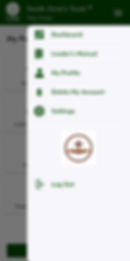
Select “Delete My Account’ and confirm the pop-up.

This process sends an email to the Facilitator of your church/group requesting to delete your account.
You will receive a confirmation email as soon as your account is deleted.
Note: This may take some time as the Facilitator will assign another leader to your team before deleting you.
bottom of page